A Terraform provider for managing the content of REMS (Resource Entitlement Management System) instances. REMS is an open-source system that manages researcher access requests and entitlements to controlled-access datasets.
This provider does not install REMS itself — it manages the content of an already-running REMS instance. Using it, the entire catalogue of data-access forms, workflows, licences, and resources can be version-controlled and deployed as code, giving reproducible and auditable access configurations across environments.
The provider covers all the objects needed to build an end-to-end access-request workflow:
- Forms — the questionnaires researchers fill in when applying for access, including conditional field visibility
- Workflows — the approval chains that route applications to the right handlers
- Licences — data-use agreements attached to catalogue items (inline text or file attachment)
- Resources — the dataset identifiers that REMS tracks entitlements against
- Catalogue items — the public-facing entries that wire together a resource, workflow, form, and category into a single access request listing
- Categories — groupings used to organise catalogue items in the UI
- Blacklists — per-resource user blocklists for flagging users to application handlers
Connecting to a REMS instance requires an endpoint, an API user, and an API key — all of which can be passed as environment variables to keep secrets out of Terraform state. See the provider documentation for the full configuration reference.
Example: creating a licence
Rather than clicking through the REMS admin UI to create a license, the equivalent
resource can be declared in HCL and applied with terraform apply:
resource "remscontent_license" "example_license" { title = "Test License" organization_id = "Collaborative Centre for Genomic Cancer Medicine" type = "text" content = "license test" archived = false enabled = true}Running terraform apply with the above creates the corresponding licence entry in the
REMS admin UI:
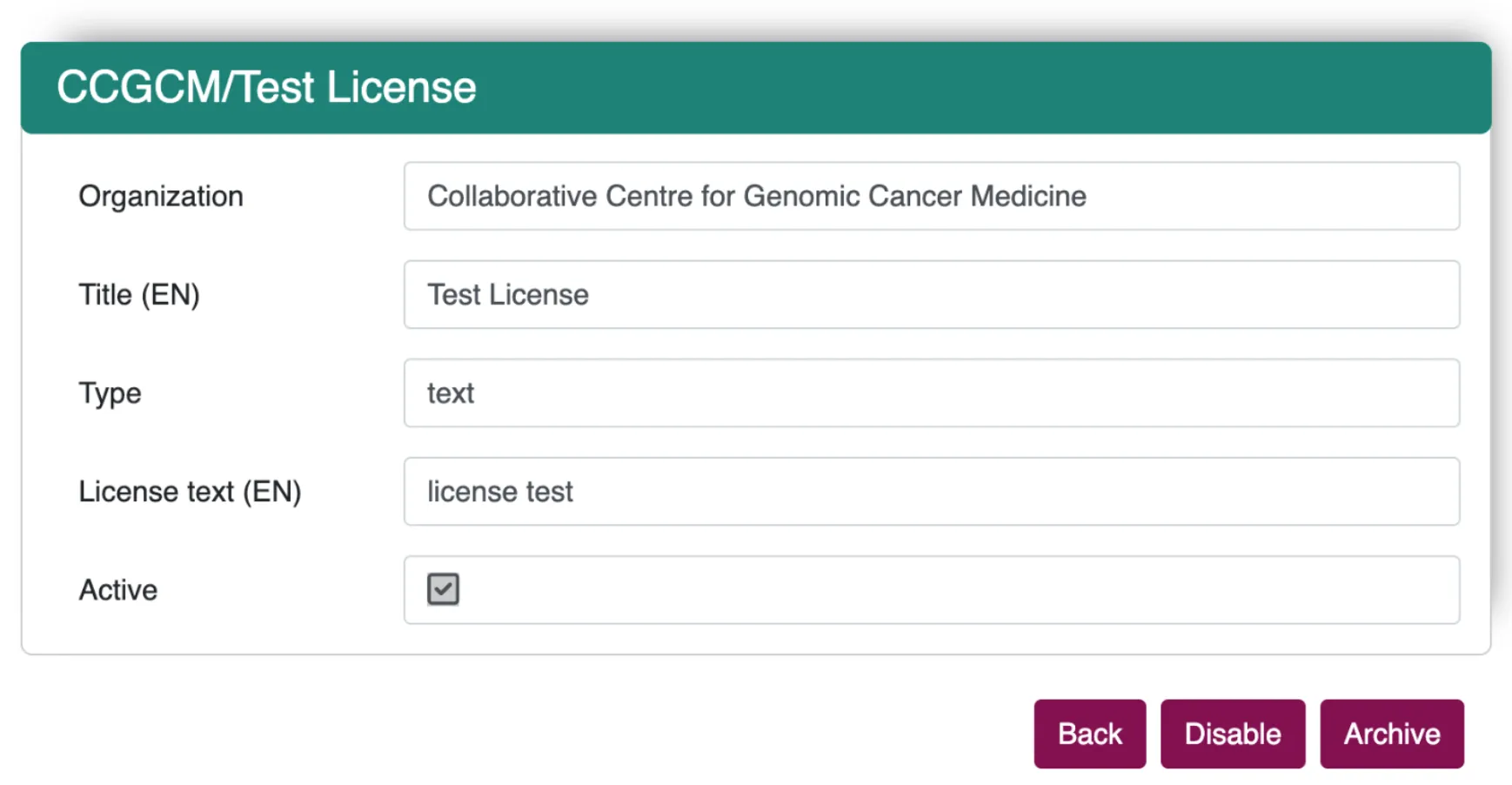
Terraform will create the licence in REMS, track it in state, and update or destroy it as the configuration changes — giving the same licence definition across all environments without manual UI steps.
End-to-end runnable examples are included in the repository under examples/usage/,
covering a simple form, a licence, and a full catalogue item setup that wires all objects together.